 Wiga Tap Manufacturer
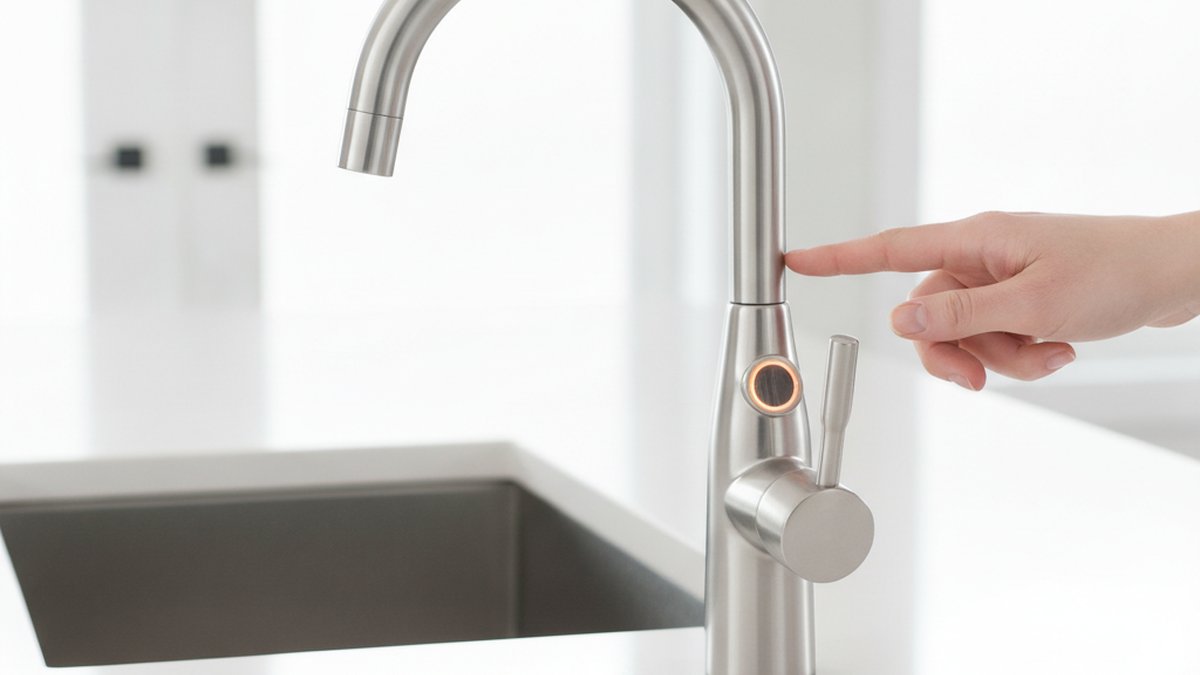
A touchless faucet sensor is the small “eye” near the base or spout of a faucet that detects your hands and tells the valve to release water — no handle, no touching, no smudges. If you’ve ever waved your hands under a restroom faucet and watched water appear, you’ve used one. The technology has quietly gotten a lot better and a lot cheaper, so in 2026 it’s a genuinely smart pick for both kitchens and high-traffic commercial bathrooms. Below, we’ll walk through exactly how the sensor works, the different sensor types, what to look for before you buy, and where they’re worth the money (and where they aren’t).
How does a touchless faucet sensor actually work?
Most touchless faucet sensors work by bouncing invisible infrared light off your hands. The sensor emits an IR beam; when your hands enter the detection zone, they reflect that light back to a receiver, which signals a small electric valve (a solenoid) to open. Move your hands away, the reflection stops, and the valve closes — usually within a second.
There are two common sensing approaches, and knowing the difference helps you buy the right one:
- Active infrared (reflective IR): The faucet sends out its own IR beam and reads the reflection. This is the most common type and works in the dark, on any skin tone, and even with gloves on — which matters in kitchens and clinics.
- Capacitive / hybrid touch-and-touchless: Some faucets combine an IR sensor for hands-free use with a capacitive touch pad, so you can tap the spout with a wrist or forearm when your hands are full or greasy. These give you the best of both worlds but cost more.
The other half of the system is the solenoid valve and the power source. The solenoid is the electrically-controlled valve that physically starts and stops the flow — it’s the part that clicks. Power comes from either AA/C batteries, an AC adapter plugged into a nearby outlet, or a hardwired transformer in commercial installs. Battery models are easiest for DIY; hardwired models are what you want for a public restroom that runs thousands of cycles a day.
Are touchless faucet sensors actually worth it, or just a gimmick?
For most people, yes — they’re worth it, and the payoff is bigger the busier your sink is. The three real benefits are hygiene, water savings, and convenience, in that order.
Hygiene: You never touch the faucet with dirty or contaminated hands, so you don’t recontaminate a “clean” handle after washing. That’s why hospitals, restaurants, and airports standardized on them years ago. Water savings: Because the water only runs when hands are present, touchless faucets cut waste dramatically — independent studies and manufacturer testing commonly show 30–50% less water use versus a manual faucet left running while you scrub. Convenience: In a kitchen, being able to start water with a raw-chicken-covered wrist or a full pot is genuinely useful.
Where they’re not worth it: if you want a purely decorative low-use powder-room faucet, or if you’re on a very tight budget and would have to sacrifice valve quality to afford the electronics. A cheap touchless faucet with a flimsy solenoid will frustrate you far more than a good manual one.
What’s the difference between a touchless faucet sensor for home vs. a busy commercial bathroom?
The core IR technology is the same, but the durability, power, and mounting are built for very different lives. A home kitchen faucet might cycle 40–80 times a day; a commercial restroom sensor can cycle several thousand times a day, so it needs a heavier-duty solenoid, tamper resistance, and usually hardwired power.
| Feature | Home / residential touchless | Commercial / high-traffic touchless |
|---|---|---|
| Typical power source | AA/C batteries or AC adapter | Hardwired transformer (with battery backup on some) |
| Solenoid cycle rating | ~200,000–500,000 cycles | 500,000–1,000,000+ cycles |
| Sensor range | Fixed or lightly adjustable | Field-adjustable, anti-splash tuning |
| Temperature control | Manual mixer handle or valve | Preset thermostatic mixing valve (scald safety) |
| Housing | Standard brass/stainless | Vandal-resistant, tamper-proof mounting |
| Auto shut-off timer | Optional (safety feature) | Standard (e.g., 30–60 sec max run) |
One thing many first-time buyers miss: most touchless faucets don’t mix temperature on their own. The sensor controls flow, not temperature. In homes you set temperature with a small manual mixer under or beside the faucet; in commercial builds you typically install a preset thermostatic mixing valve so water comes out at a safe, fixed temperature. If you’re outfitting a commercial space, it’s worth reading our guide on the commercial sink faucet connector you’ll need, because the supply-line and valve fittings matter just as much as the sensor itself.
How do you install and adjust a touchless faucet sensor without a plumber?
A battery-powered touchless faucet is a very doable DIY job — most people finish in 45–90 minutes with basic tools. The sensor and solenoid come pre-wired to the faucet; your job is mounting the faucet, connecting supply lines, and plugging the sensor cable into the control box.
- Shut off the water at the angle stops under the sink and open the old faucet to relieve pressure.
- Mount the faucet through the sink hole and tighten the mounting nut from below.
- Connect the control/solenoid box — this is the plastic box that holds the batteries and the valve. Attach the hot and cold supply lines to the mixer, then the mixed line to the solenoid.
- Plug in the sensor cable from the faucet into the control box (it’s usually a keyed connector, so it only fits one way).
- Load batteries or connect the AC adapter, turn the water back on, and test. Most units run a short self-calibration when first powered.
- Adjust the range if water triggers too easily (a common complaint at deep or reflective sinks). Many models have a small dial or a magnetic “range” setting; shorten the range so the faucet ignores the sink basin but catches your hands.
If you hit a leak at the flexible supply connections afterward, don’t panic — it’s almost always a loose or crossed fitting, and our walkthrough on why a kitchen faucet leaks from the flexible hose covers the exact fixes. And if you’re replacing an older manual unit, the shut-off and supply steps overlap heavily with a standard kitchen faucet repair, so those two guides pair well with this one.
What should you look for before buying a touchless faucet sensor in 2026?
Buy on four things: sensor quality, valve durability, power flexibility, and water safety. Everything else — finish, spout style, spray patterns — is preference. Here’s what actually separates a good touchless faucet from a frustrating one:
- Adjustable IR range. The single biggest cause of “it turns on by itself” complaints is a fixed sensor that reads the sink. Get one you can tune.
- Dual power option. Battery + AC adapter compatibility means you’re never stuck if an outlet isn’t handy, and you can switch later.
- Auto shut-off timer. A safety feature that stops water after 30–60 seconds if something sits in the detection zone — prevents floods and waste.
- Lead-free, certified waterway. Look for a faucet certified to NSF/ANSI 61 and 372 (lead-free) so the water contacting the internal parts is safe to drink. If drinking-water safety is a priority, our explainer on a lead-free kitchen faucet setup is worth a read before you choose materials.
- Solid body material. Solid brass or quality stainless resists corrosion far better than thin zinc. If you’re weighing materials, the zinc alloy vs. stainless steel faucet comparison breaks down exactly what you’re trading off.
- Warranty. The electronics are the part most likely to fail, so a strong warranty on the sensor and solenoid — not just the finish — tells you the maker trusts their parts.
For commercial buyers specifically, prioritize vandal resistance, hardwired power with backup, and a proven cycle rating. If you’re sourcing for a restaurant or busy facility, our roundup of where to find a commercial sink faucet that survives a busy kitchen pairs naturally with a touchless build, and pairing a touchless faucet with an automatic soap dispenser faucet gives you a fully hands-free wash station.
Why does a touchless faucet turn on by itself — and other common problems
Nine times out of ten, a touchless faucet that turns on by itself has its sensor range set too long, so it’s detecting the sink bottom or a reflective backsplash. Shorten the range and the phantom triggers usually stop. Here are the problems people actually report, and the quick fixes:
- Turns on by itself: Reduce sensor range; clean the sensor window (soap film and hard-water spots scatter the IR beam).
- Weak or slow response: Fresh batteries, or check that the sensor lens isn’t coated in mineral scale.
- Won’t shut off: Something is sitting in the detection zone (a sponge, a tall pot). Auto shut-off should catch it, but clear the zone.
- Low flow: A clogged aerator or a solenoid filter screen full of debris — the same first suspects as any low flow out of a kitchen faucet issue.
- No water at all: Dead batteries, an unplugged sensor cable, or a solenoid that isn’t getting power.
Because the failure points are usually electronic rather than mechanical, keeping the sensor window clean and the batteries fresh solves the vast majority of issues over the faucet’s life.
How much does a touchless faucet sensor cost, and how long do they last?
Expect to pay roughly $90–$180 for a solid residential touchless kitchen faucet, $150–$400+ for commercial-grade sensor faucets, and under $60 for retrofit sensor-only add-on kits (which we generally don’t recommend for heavy use — the built-in solenoids tend to be lightweight). A quality unit’s solenoid is typically rated for 200,000 to over a million cycles, which translates to many years of normal household use. Batteries in an AA/C model usually last 1–2 years depending on traffic; hardwired commercial units sidestep battery replacement entirely.
The electronics are the wear item, not the brass — which is exactly why warranty coverage on the sensor and valve is the spec that matters most at purchase time.
FAQ
Do touchless faucets work during a power outage?
Battery-powered models keep working during a power outage since they don’t rely on your home’s electricity. AC-adapter-only models will stop, which is why many people choose a faucet that supports both battery and AC power — you get convenience plus a backup.
Can a touchless faucet sensor control water temperature?
No — the sensor only controls whether water flows, not how hot it is. You set temperature with a manual mixer handle (residential) or a preset thermostatic mixing valve (commercial). Some higher-end models add a separate control for temperature, but the sensor itself only governs on/off.
Are touchless faucets more hygienic than regular faucets?
Yes. Because you never touch the faucet with dirty hands, you avoid recontaminating a handle you’d otherwise grab after washing. That’s the core reason healthcare and food-service facilities adopted them, and it’s the main hygiene case for putting one in a busy home kitchen or bathroom.
Will a touchless faucet sensor drain batteries quickly?
Not usually. Most residential models get 1–2 years from a set of AA or C batteries under normal use because the sensor draws very little power at rest. High-traffic settings drain faster, which is why commercial installs favor hardwired power. A low-battery indicator light is a helpful feature to look for.
Can I retrofit a touchless sensor onto my existing faucet?
You can, using an add-on sensor-and-solenoid kit that fits between your supply line and faucet, but the results are mixed — the included valves are often lightweight and the fit isn’t as clean as a purpose-built touchless faucet. For anything beyond light use, a dedicated touchless faucet is the more reliable choice.
Do touchless faucet sensors work with gloves or in low light?
Yes to both. Active infrared sensors emit their own light source, so they detect gloved hands and work perfectly in complete darkness — a practical advantage in kitchens, workshops, and clinical settings where manual handles fall short.
About the author & brand: This guide was written by the wigafaucet product team, drawing on hands-on testing of residential and commercial touchless faucets across kitchen and restroom installations. wigafaucet designs and manufactures faucets and bathroom fixtures with lead-free, NSF/ANSI-certified waterways, cycle-tested solenoid valves, and warranty-backed sensor electronics — so the specs in this article reflect what we actually build and stand behind. Always confirm your local plumbing code and the product’s certification and warranty terms before you buy.